Notes
Internal vs public, one toggle
Overview
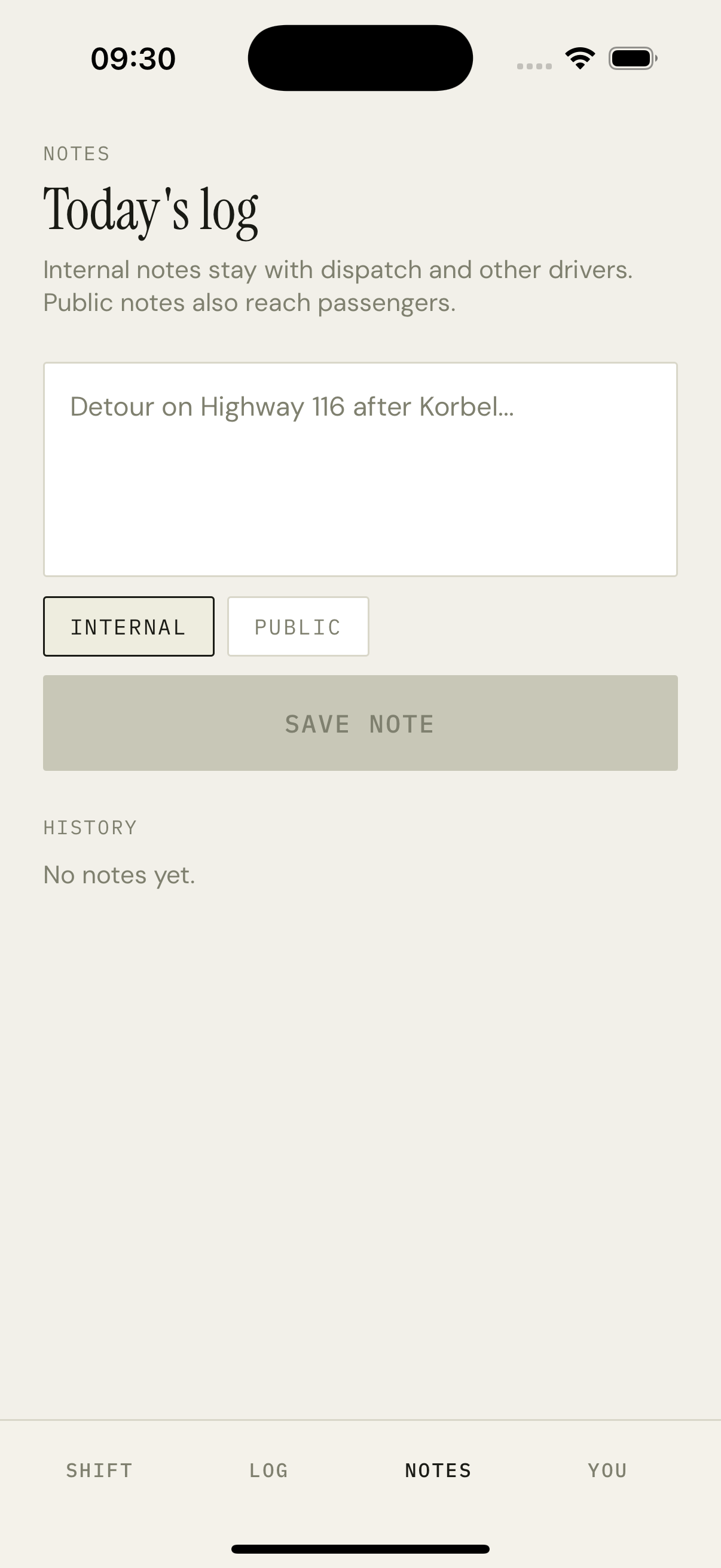
A focused single-purpose screen. Eyebrow NOTES, title 'Today's log', a sentence explaining the rule (internal stay with dispatch, public reach passengers). Below the description: a multi-line textarea pre-filled with the most recent draft. Under the textarea, two outlined buttons — INTERNAL (selected by default) and PUBLIC. Then the SAVE NOTE button. Below it, a HISTORY section listing prior notes in reverse chronological order with their visibility pill.
How it works
Draft persistence: the textarea content is mirrored to AsyncStorage on every change, scoped by assignmentId, so a tap on the LOG tab doesn't lose the in-progress note.
Visibility toggle is local state — INTERNAL by default for new drivers to bias toward private. The chosen visibility is sent to `POST /api/driver/notes` with the body.
Saved notes appear in HISTORY immediately via React Query's mutation onSuccess — we invalidate the notes query and the list re-renders with the new row on top.
When a PUBLIC note is saved, the API also writes an entry into the announcements table scoped to the assignment's route, so it shows up on the rider's Today screen under ANNOUNCEMENTS.
Long notes wrap freely — no character limit. Drivers writing 'detour on Highway 116 after Korbel — expect 5 extra minutes' should not have to compress the message.
Key decisions
Visibility toggle is two buttons, not a switch
A switch makes the on/off semantic clear but obscures the labels. Two pressables — INTERNAL and PUBLIC — make the consequence of each option literal, and 'oh, this is going to passengers' is immediately readable. We pay 4px of extra vertical space for that legibility.
Public notes fan out to announcements
We could have shipped a 'driver messages' feature with its own UI on the rider side. We didn't, because we already have an announcements rail — and a public driver note is just an announcement with a different author. Reusing the surface keeps the rider mental model simple.