Log arrival
Stop, count, save
Overview
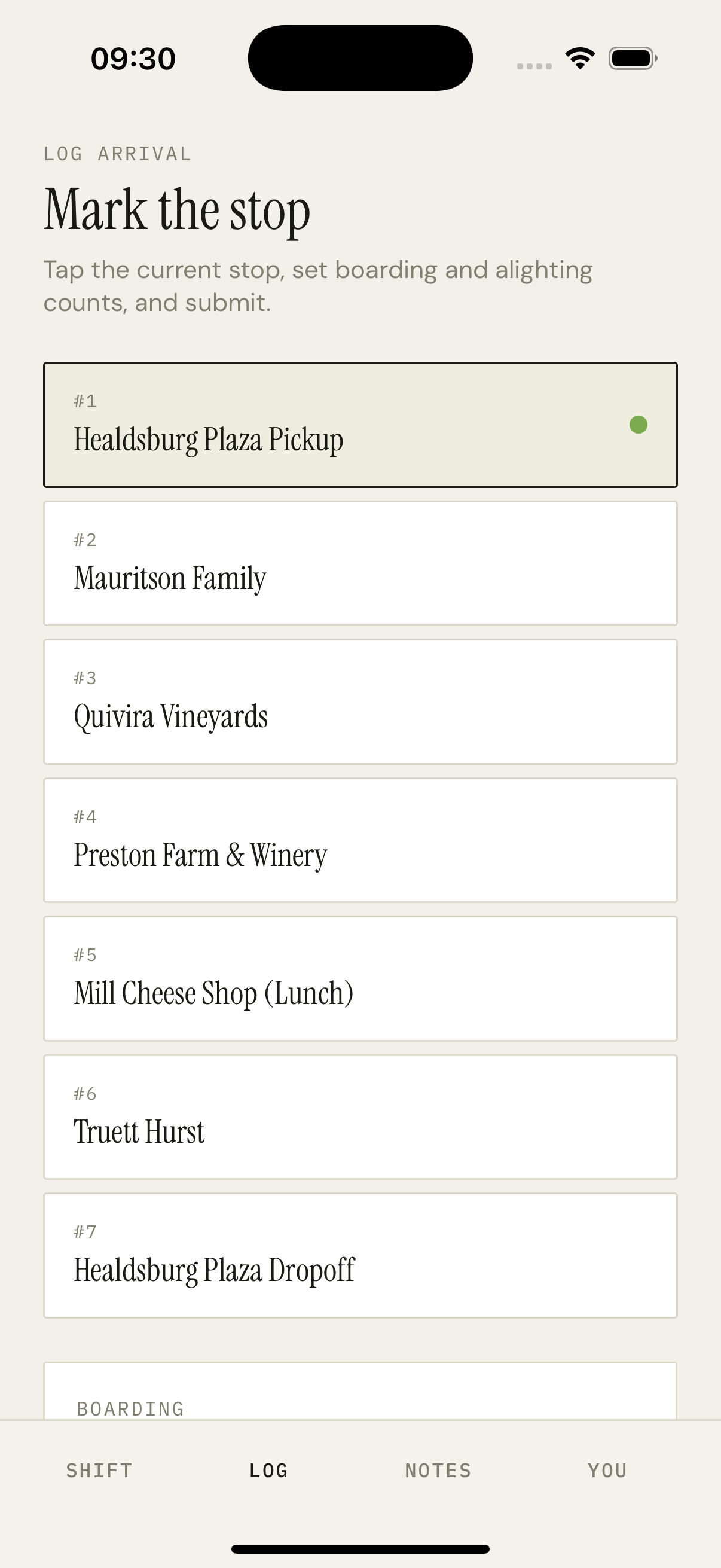
The screen header is the eyebrow LOG ARRIVAL over the Instrument Serif title 'Mark the stop'. Below it, a one-paragraph description and then the list of stops — each in a soft cream card with the stop's number, name, and a green dot on the currently-selected one. Tapping a stop opens the BOARDING and ALIGHTING count steppers at the bottom of the screen. The SAVE button is a black pill that writes the row and advances the selected stop to the next un-logged one.
How it works
The stops list reads from the active assignment's route record. Each row knows whether the driver has already logged it (via the tripLogs query) and renders a check mark if so.
Counts are two Stepper components — minus / value / plus, no keyboard input. Default is 0 / 0 — the driver bumps the counts up with taps. Hold-to-repeat lets a driver who's loading 8 people get there with two presses.
Submit calls `POST /api/driver/trip-logs` with assignmentId, stopId, boarding, alighting, timestamp. The API computes the running passenger count and stores the row.
After save, the screen advances to the next un-logged stop automatically, the steppers reset to 0/0, and a tiny 'Saved · 11:42 AM' caption animates in below the SAVE button for two seconds.
If the driver logs a stop out of order, the API still accepts it — we order by timestamp, not by stop sequence, so a late correction doesn't break the running count.
Key decisions
No keyboard, only steppers
A driver in the middle of a stop has limited attention and gloves on. Number-pad input is too easy to fat-finger. Steppers with a hold-to-repeat let them do +8 in two presses without looking at the keyboard. The cost is the count is capped at the vehicle's capacity — but that's the right cap anyway.
Auto-advance after save
The 'log arrival' loop is a tight one — bus stops, driver opens app, taps SAVE, bus moves. Auto-selecting the next un-logged stop after a save means the next round of taps starts ready, not navigating. The driver can override by tapping a different row.
Order by timestamp, not stop sequence
A real shift sees missed logs, late corrections, sometimes a stop logged twice. Ordering by timestamp instead of stop position means the running passenger count is always correct on insert, and an out-of-order log doesn't desynchronize the manifest.