You
PRO badge, 382 tours, rating 4.92
Overview
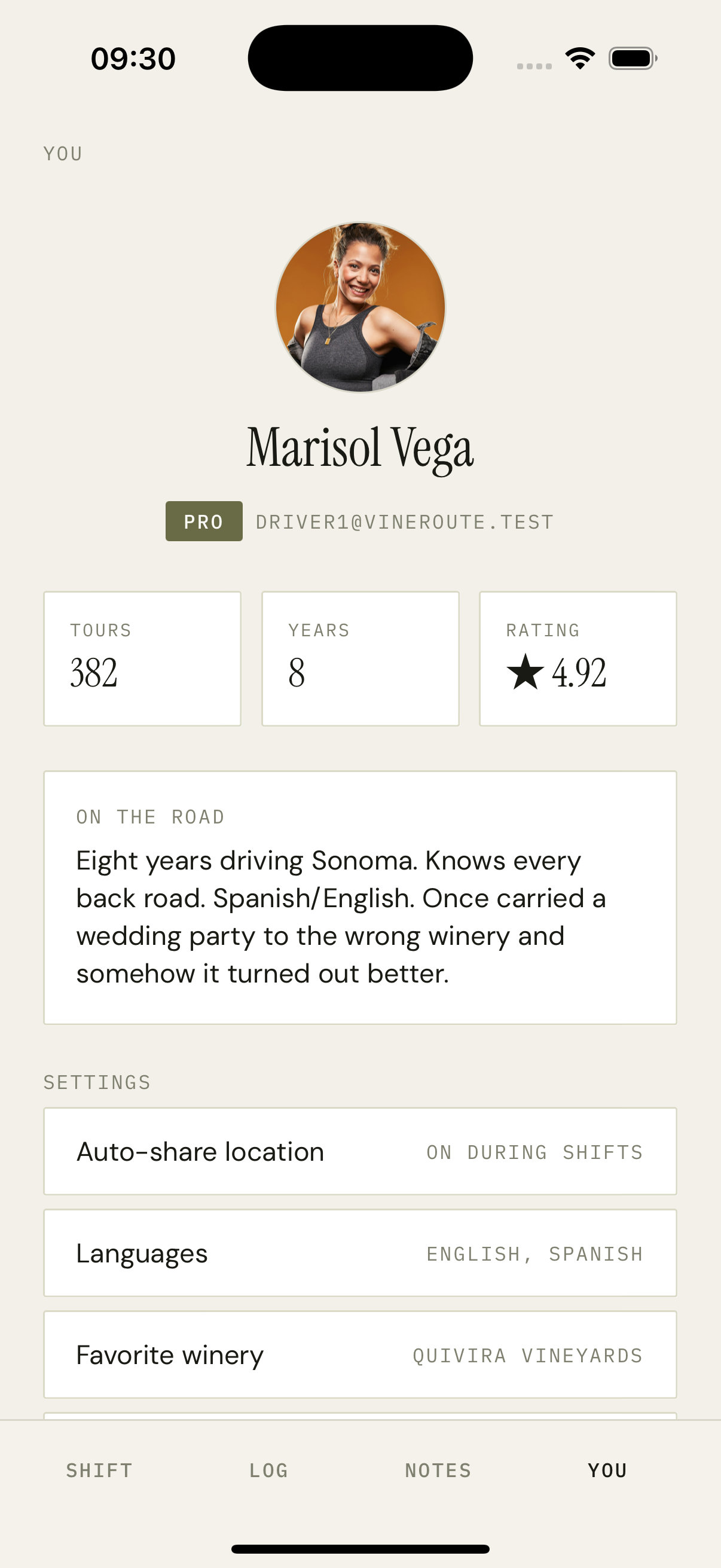
Centered portrait at the top in a 96px circle. Name in Instrument Serif under it. Below the name, a single olive PRO pill (rendered only when isPro=true) next to the driver's email. Three stat cells span the next row: TOURS, YEARS, RATING (the rating uses a small star glyph). The 'ON THE ROAD' card holds the driver's first-person bio in italic serif. Settings rows: Auto-share location, Languages, Favorite winery, Phone — each row shows the current value on the right in mono uppercase. SIGN OUT is the bottom-most row.
How it works
Identical shell to the rider profile screen, with extra fields enabled when `user.role === 'driver'` — the PRO badge, the rating, the YEARS stat, and the Auto-share-location toggle.
Rating is computed server-side as a moving average of the last 20 ride ratings, capped at one decimal — 4.92 is the actual value, not a rounding artifact.
Auto-share-location is a Switch that toggles the driver's preference. The shift screen reads it before requesting permissions.
Languages and Favorite winery are read-only here — editing pushes to a dedicated `/(driver)/edit-profile` route.
Tap-to-call: the phone row uses `Linking.openURL('tel:...')` so dispatch can reach the driver from this screen (we render it for the dispatcher's view, hidden for self).
Key decisions
PRO badge is a single olive pill
Driver tiering is rare — most apps either show every badge or none. We picked one — PRO — because the driver-side trust narrative is the most important UX in a shuttle app. PRO drivers see the badge in their own profile, which doubles as motivation; passengers see it on the driver card on Today.
First-person bios, not third-person
'Marisol drives Sonoma' reads like a directory entry. 'Eight years driving Sonoma' reads like a person. We bias the driver bio template toward first-person, and seed data uses that voice. The bio shows up in the rider's driver bio sheet too, so this isn't just self-presentation.