Vehicles
Fleet table, plates and capacity
Overview
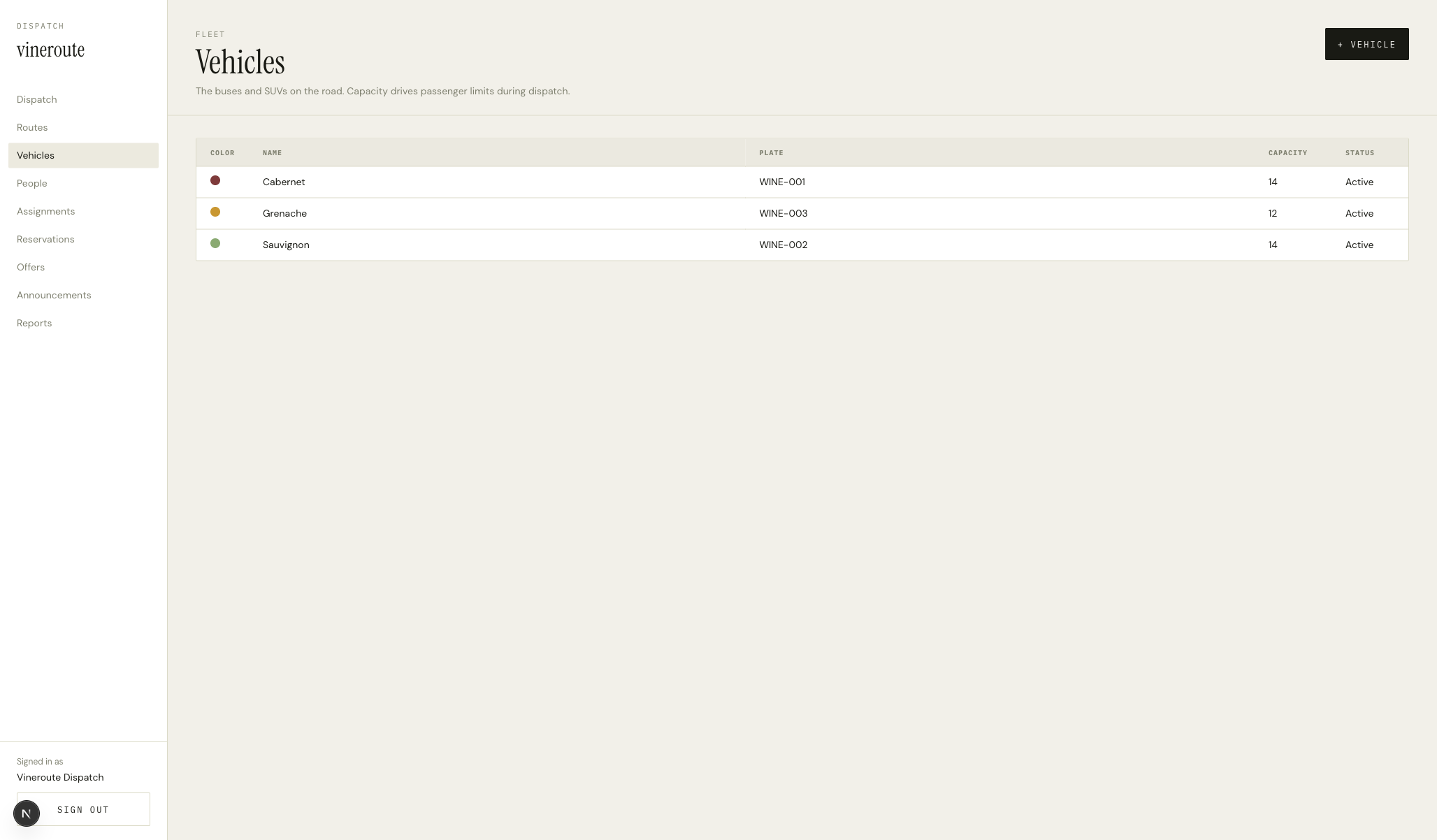
Same DataTable chrome as Routes. Columns: COLOR (a 14px swatch), NAME (the vehicle's wine-themed name — Cabernet, Sauvignon, Grenache), PLATE (WINE-001 through WINE-003), CAPACITY (an integer 12–14), STATUS (a small uppercase pill). Add and edit through the same modal pattern as Routes.
How it works
`GET /admin/vehicles` returns the array. Each row is clickable; the modal lets the dispatcher edit name, plate, color, capacity, and active status.
Capacity is an integer field with min/max validation server-side (1–60) via Zod schema validation from the shared schema.
Color is selected from the same five preset chips as routes — this lets a dispatcher color-code vehicles consistently with the route they usually run.
Reservations enforce capacity at booking time — partySize summed across confirmed reservations for a vehicle on a date may not exceed the vehicle's capacity.
The status pill (Active / Inactive) maps to the isActive field — inactive vehicles don't appear in the Assignments picker, but old records still resolve through the vehicleId join.
Key decisions
Wine-themed vehicle names
We could have called them Bus 1, Bus 2, Bus 3. We named them Cabernet, Sauvignon, Grenache because passengers read the vehicle name on the reservation confirmation, and 'Cabernet at 9:00' is more inviting than 'WINE-001'. The plate is still there for ops.
Capacity is enforced at booking, not at boarding
A boarding-time check would let us oversell and then trim, but that's worse for the rider experience. Enforcing the capacity at booking time means the dispatcher sees the cap before they hit save, and the rider never gets a 'sorry, we oversold' email.