Routes
The catalog — stops, color, schedule
Overview
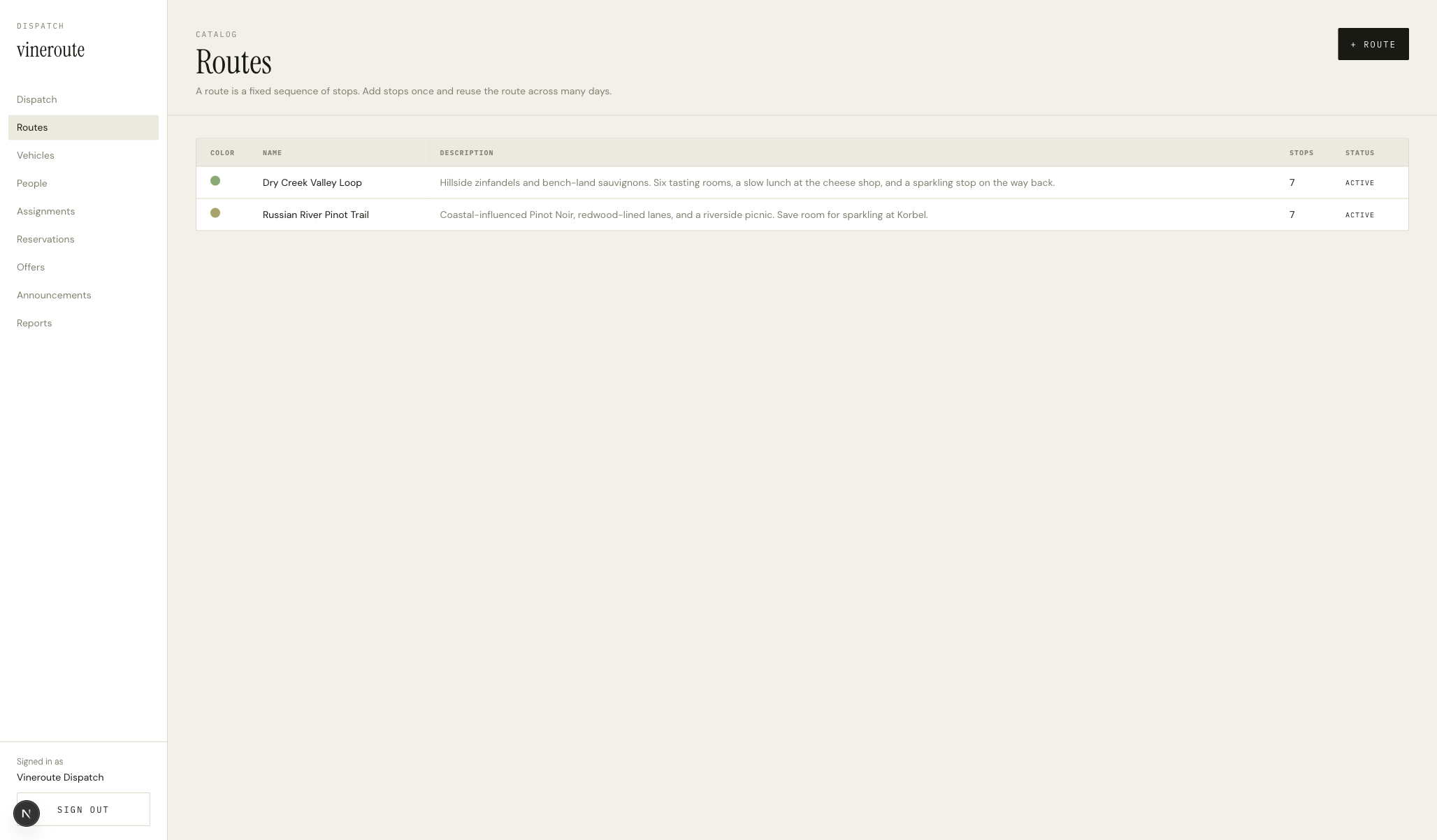
Page header CATALOG / Routes, action button +ROUTE on the right. The DataTable below holds rows of routes — each row is clickable. The Modal is centered, with form fields for name, description, accent color (five preset chips), active toggle, and a numbered stop list at the bottom (read-only on this surface; stop editing is on a dedicated route detail page).
How it works
`GET /admin/routes` returns every route with its stops included — one query, no N+1.
Clicking the +ROUTE button or a row sets the modal state to 'new' or the row object. A useEffect resets form state to either the new-route defaults or the row's current values.
Color picker is five preset color buttons — #8AAA72 #A7A36B #7E3A3A #607B8B #C99731. Selected color shows a thicker foreground border. We do not allow free-form hex input — the brand wants curated palette consistency across the catalog.
Create: `POST /admin/routes` with the form body, then invalidate the routes query. Update: `PATCH /admin/routes/[id]`. Delete: `DELETE /admin/routes/[id]` with a confirm prompt.
Stops list inside the modal is read-only at the moment — we surface the eventual route detail page in a placeholder caption to set the right expectation.
Key decisions
Click-row-to-edit, not click-edit-button
Admin tables traditionally have a small pencil icon at the end of each row. We let the entire row be the trigger — the modal opens with the row's data when you click anywhere on it. The result is a faster scan-tap-edit loop and a calmer row layout without per-row buttons.
Preset colors only
If we let dispatchers type any hex, the catalog ends up with a hundred bespoke greens. Five preset chips keep the route map legible and brand-consistent — and the constraint frees the dispatcher from making a design decision they didn't sign up for.