Announcements
What riders see on Today
Overview
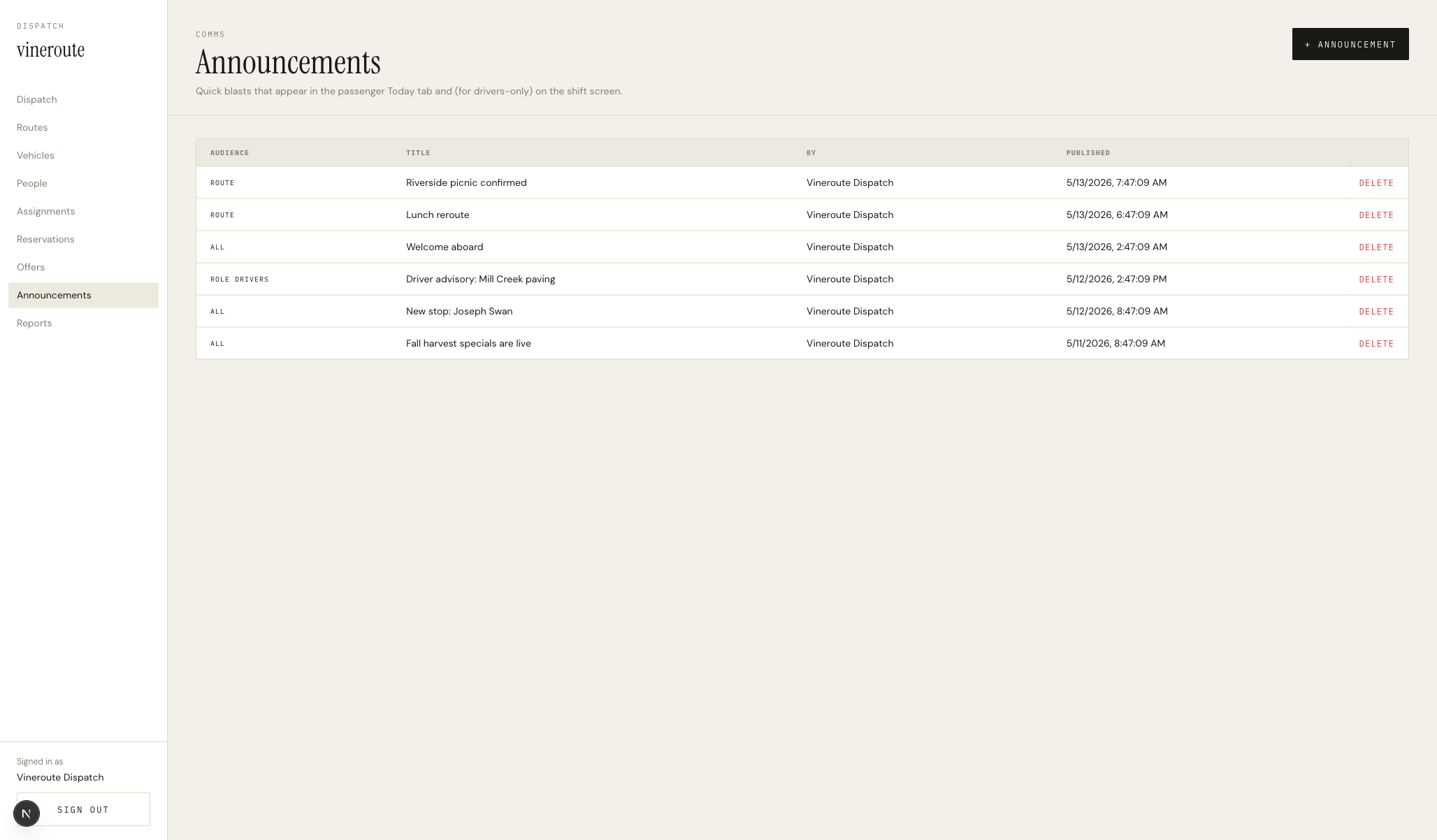
DataTable with columns: TITLE, BODY (a truncated preview), SCOPE (the route name or 'All routes'), POSTED (a relative timestamp), ACTIVE. The +ANNOUNCEMENT modal lets the dispatcher write the body, pick a route (or All), and toggle active.
How it works
Announcements are stored with an optional routeId. If set, only riders booked on that route see the announcement; if null, every rider does. The API filters by the rider's reservation route on `/api/passenger/announcements`.
The body is plain text up to ~500 chars. We considered Markdown but chose to keep the surface as boring as possible — the rider app renders it raw with Text and a selectable flag.
Posted timestamp is read-only and uses date-fns formatDistanceToNow for human-friendly text.
Driver-published notes also write into this table with a source='driver' tag — the Notes screen for drivers funnels public notes to announcements automatically (see the driver Notes screen).
Inactive announcements are filtered out of the rider feed but kept visible to the admin so they can republish without retyping.
Key decisions
Plain text, no formatting
Announcements are short and operational. Markdown would invite long-form prose that doesn't fit the surface. A plain-text body keeps the dispatcher writing in a constrained voice and the rider's eye unburdened.
Driver notes fan into the same table
We share the table between dispatcher announcements and driver-published notes. The source column tells them apart for reporting; the rider sees them as one feed. This avoided shipping two slightly-different rider rails.